Series: Matter from A to Z · Part 4 of 8
Matter Multi-Admin: One Device, Several Smart Home Systems
Matter multi-admin explained: how to use one device in several smart home systems at the same time, with step-by-step instructions and tips.
By Tobias ·· 7 min read
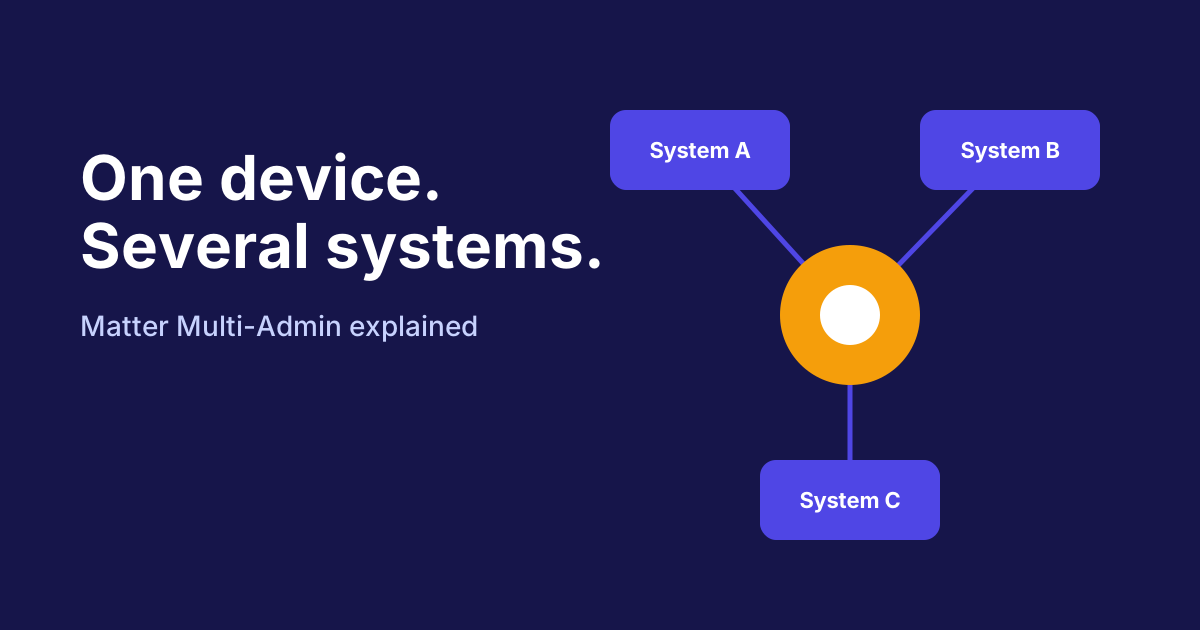
Have you set up a Matter device and now want to use it in your partner's system or in a different app as well? Until recently, that was rarely possible with smart home devices, because each system formed its own world. With Matter it's different. The feature is called Matter multi-admin, and it allows one device to be connected to several control systems at the same time. Here you'll learn how it works, what it can do and where its limits lie.
What does multi-admin mean for Matter?
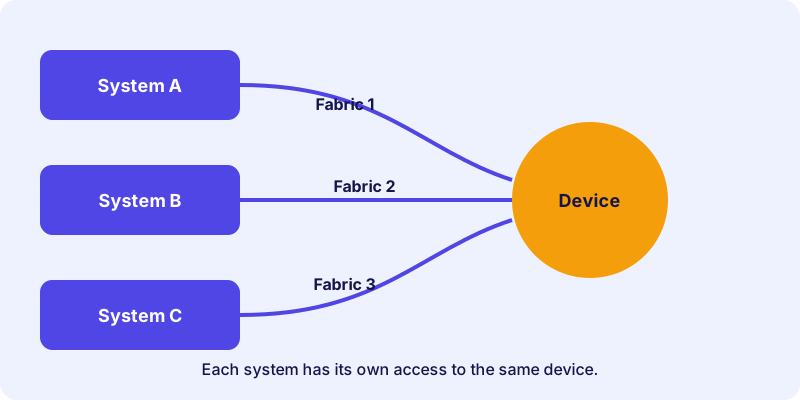
Multi-admin means that a Matter device can be managed by several administrators. Each administrator is a control system, such as a control hub or an app platform. Every system gets its own access to the device. In Matter terminology this is called a separate fabric, a logical domain in which the device is connected to a controller.
In practice, this means you set up the device once and then share it with a second system. Both systems can then control the device, and you don't have to reset it.
Why multi-admin is useful
The benefit shows up mainly in three situations:
- Two households or partners with different systems: Each person controls the device with the app they prefer.
- Switching control systems: You can test a new system before shutting down the old one.
- Several platforms in one household: Some automations work better in one system, others in another. Multi-admin allows both.
The advantage lies in freedom of choice. You are not forced to run a device in just one single system.
How it works technically
When you share a device, the second system receives the access credentials it needs to communicate with the device securely. The device stores the access of every administrator, and each system manages its own access.
You don't need to understand the technology in detail to use the feature. The most important thing is that the functions each system offers depend on the device and on the respective app.
What multi-admin does not guarantee
Multi-admin is a powerful feature, but it has limits you should know about:
- Not every device supports it to the same extent. Check the product information.
- Not every system implements everything in the same way. A lamp may offer color changes in one system and only on and off in another.
- Automations run per system. A rule in one system does not automatically exist in another.
- Updates depend on the manufacturer. New features do not necessarily arrive in all systems at the same time.
How to share a device between two systems
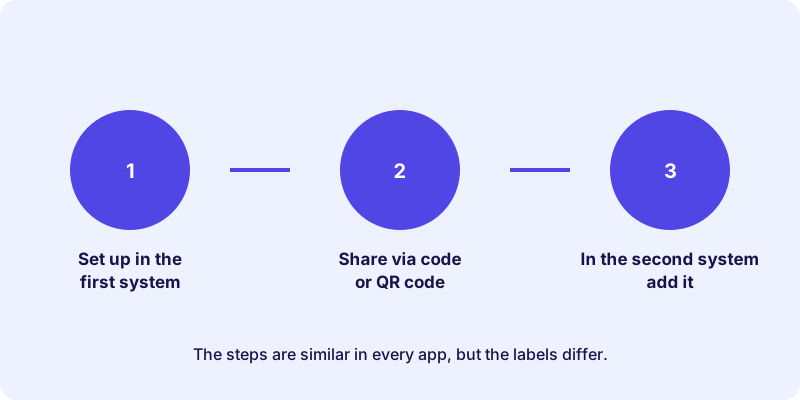
The process is similar in most apps, but the exact labels differ. The diagram shows the three main steps:
How-to
Add a Matter device to a second system
How to take over a Matter device that is already set up into another control system.
Make sure the device supports Matter and that both systems can add Matter devices. Keep the manual or data sheet at hand.
Open the device settings in the app of the first system. Look for an option to share or add the device to other systems. The label differs depending on the app.
Display the Matter code. This is a QR code or a numeric code that releases the device for the new system.
In the second system, open the function for adding a Matter device. Scan the QR code or enter the numeric code.
Give the device a unique name and assign it to a room. This makes it easier to control and to set up automations later.
Switch the device once from the new app and check that it responds. Then set up the automations you want in the second system.
Typical situations
Multi-admin is especially helpful when you plan a switch. If you move from one system to another, you first set up the device in the new system, check its functions and only then shut down the old system. That way your home stays controllable during the changeover.
A second situation: you live with your partner, and you use different apps. A shared living room light can then be operated from both smartphones, without one of you having to switch to the other's platform.
Finally, multi-admin is a good way to test new systems. You stay in your existing setup and try out the second system in parallel.
Checklist before sharing
Before you share a device, a short checklist is worthwhile:
- Is the device set up stably and up to date in the main system?
- Does the second system support the functions you need?
- Is the setup code at hand, and do you know where to find it?
- Do you have time for a functional test after sharing?
Tips for everyday use
A few habits make working with several systems easier:
- Use consistent names. If a device has different names in two apps, you quickly lose track.
- Plan automations separately. Decide which system is responsible for which rule so that routines don't interfere with each other.
- Don't share the code publicly. The QR code and numeric code give access to the device. Treat them like a password and never post them online.
An example of a Matter device that works well with several systems is this LED strip:
Conclusion: using multi-admin wisely
Multi-admin is one of the most valuable features of Matter, because it removes the dependence on a single system. You can run a device with several systems, prepare a switch and support household members who use different apps. Practical tip: before buying, check that the device supports Matter, and read in the manual how sharing works. Test the most important functions after every setup. You'll find the basics of Matter and the radio technologies in the earlier articles of this series, such as What Is Matter? or Thread, Wi-Fi or Ethernet. The device directory helps you choose suitable devices.
Frequently asked questions
What is Matter multi-admin?
Multi-admin allows a Matter device to be used in several control systems at the same time. Each system gets its own access to the device.
Do I have to reset the device to use it in a second system?
As a rule, no. You can share the device with a second system without removing it from the first one. The exact procedure depends on the app.
Can I use all functions of a device in every system?
Not necessarily. The functions depend on the device and on the respective system. Some functions are only available in one system.
Do automations work across several systems?
Automations usually run within a single system. A rule created in one system does not automatically exist in another.
Is multi-admin secure?
Each system has its own access, which it manages itself. Protect the Matter code and give it only to people you trust.