Matter Smart Plugs: What to Know Before You Buy
Buy a Matter smart plug with confidence: types, Thread or Wi-Fi connection, energy monitoring and typical mistakes. Find the right model for your home.
By Tobias ·· 6 min read
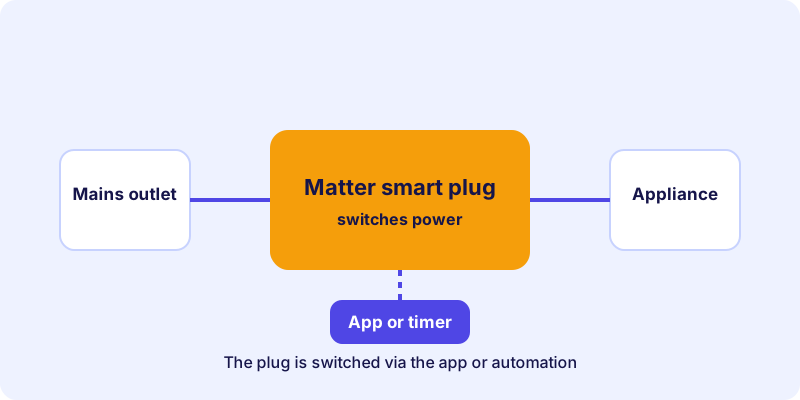
A Matter smart plug is often the simplest way into the smart home. You plug it between the wall socket and the device, and a floor lamp, a fan or a coffee machine can be switched from the app or controlled by a schedule. But the range is large, and not every plug can do the same things. Here you will learn which types exist, what to watch for in the radio technology, and why energy monitoring is not included in every model.
The basics of the standard are explained in the article What is Matter?. This article focuses on choosing the right plugs.
Matter smart plug: which types there are
In the device directory on matter.tips, plugs are listed in the device group “Plugs & flush-mounted actuators”. This group includes different designs that you should tell apart when buying:
| Type | Use | Typical application |
|---|---|---|
| Plug / switching actuator | Between the mains plug and the device | Lamp, fan, space heater |
| Dimmable plug | Between the mains plug and the device, with brightness control | Dimmable lamps, if the bulb supports it |
| Flush-mounted switching actuator | Inside the wall behind a switch | Ceiling lights, permanently installed loads |
| Flush-mounted dimmer | Inside the wall, with dimming function | Permanently installed lights with dimming |
For most households, a plug with a switching function is enough. Flush-mounted variants are a question of installation and should only be fitted by a qualified electrician, because they work directly on the building’s electrical installation.
An example of a Matter plug with a switching function:
Radio technology: Thread or Wi-Fi
Matter plugs come with different connections. The most common are Thread and Wi-Fi. Bluetooth is only used for the initial setup on most devices.
- Thread: The plug can act as a router in the Thread network and so improve the connection of other devices. It needs a border router in your home. I explain the basics in the article Thread, Wi-Fi or Ethernet.
- Wi-Fi: The plug connects directly to your router. You do not need a border router, but it uses up Wi-Fi capacity. Many models only support the 2.4 GHz band.
If you already use Thread devices or want to build a larger network, a Thread plug is often the better choice. I show how to plan the network in the article Building a Thread network.
Energy monitoring: not on every plug
Many buyers expect every Matter plug to measure power consumption. That is not the case. Whether a plug provides consumption values depends on the model and is a deliberate equipment decision by the manufacturer.
If energy monitoring matters to you, check these points before you buy:
- Does the product description explicitly mention the measurement function?
- Does the data sheet show that consumption values appear in your control system?
- Does your control system meet the requirements to display these values?
The listings in the device directory show you the device type, radio technology and certification. Whether a measurement is included cannot be reliably read from them. The manufacturer’s information is decisive here.
Indoor or outdoor
Not every plug suits every location. Pay attention to the area of use when buying:
- Indoors: Standard models are fine for living rooms, hallways and kitchens, as long as they are not in a damp environment.
- Outdoors: Outdoor plugs are designed for weather exposure. Check the ingress protection rating in the product information.
- Bathroom and damp rooms: Special requirements apply here. Check the manual to see whether and where the device is permitted.
An example of a plug for outdoor use is described in the article Smart power for garden and balcony. That article covers an outdoor plug in detail (German only).
Typical mistakes when buying
Some mistakes come up again and again:
- Underestimating the load. Check which devices you want to connect and whether the plug’s specifications match them.
- Confusing the type. A plug for the mains socket is not the same as a flush-mounted switching actuator.
- Forgetting the location. A plug behind a cabinet is hard to reach, even if it works.
- Ignoring the connection. A Wi-Fi plug in the basement without a good signal often becomes unstable.
How to use Matter plugs in everyday life
Matter plugs suit many tasks that run on schedules or automations:
- Switch room lighting on at fixed times
- Start a fan or air purifier based on a condition
- Control Christmas lights or a garden lamp automatically
- Cut power to standby devices in a targeted way
When using schedules, keep in mind that a plug can only carry out its command if it is reachable. If the connection drops, the device stays in its previous state. So do not rely solely on the network for switch-offs you depend on, and follow the manufacturer’s guidance on use and load.
To make an automation run reliably, test it manually first. Then set up the schedule and check over the first few days that everything works as intended.
Conclusion: choose Matter plugs deliberately
A Matter smart plug is versatile, but not every plug is equipped the same way. Decide first on the right type and radio technology, check the location, and if energy monitoring matters to you, verify it in the manufacturer’s information. The device directory lists plugs with details on radio technology and certification. Another useful reference is the article Buying Matter devices, which shows how to check certification and compatibility.
Frequently asked questions
Do all Matter smart plugs have energy monitoring?
No. Energy monitoring is not included in every plug. Check the product description from the manufacturer before you decide.
Do I need a border router for a Matter plug?
Only if the plug connects via Thread. Models with Wi-Fi connect directly to your router.
Can I use a Matter plug outdoors?
That depends on the model. Outdoor plugs are designed for weather exposure. Check the ingress protection rating in the product information.
Is a Matter plug suitable for dimmable lamps?
A dimmable plug can do this, but only if the lamp and the bulb both support dimming. Read the information for both devices.
Can I safely switch anything with a Matter plug?
The plug is designed for certain loads. Observe the manufacturer’s information on load and use, and do not connect devices it is not intended for.