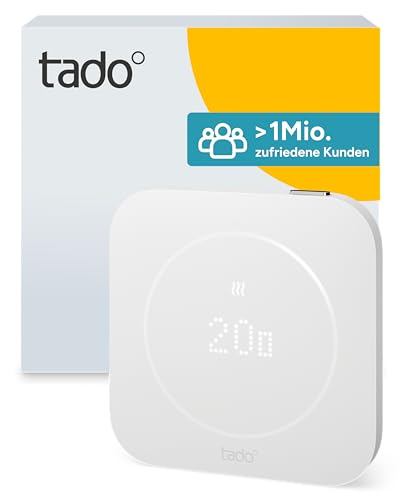
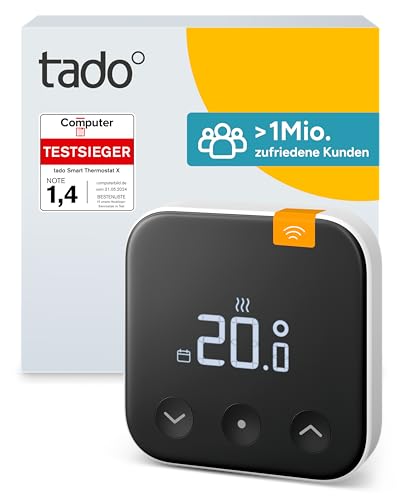
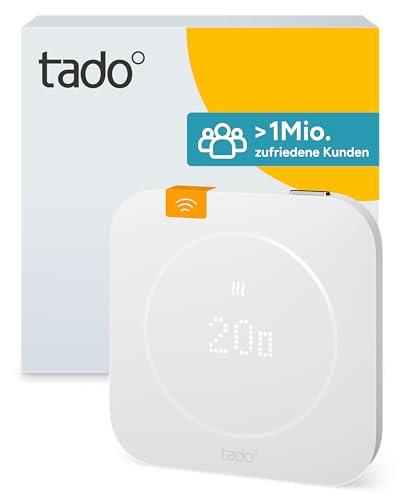
Smart Radiator Thermostat X
Firmware actively maintained: latest certified update on March 2, 2026
Thread border router required. This device uses Thread and needs a Thread border router, for example a HomePod, Apple TV, Nest Hub or Echo. Compare border routers →
Smart Radiator Thermostat X by tado°: certified Matter device (Thermostat). Radio: Thread. Matter 1.4.
tado Smart Radiator Thermostat X
Price comparison
Compatibility with smart home platforms
Whether the platform supports this device type (Thermostat). This is an assessment based on the platforms’ lists, not a guarantee for every feature.
- Google HomeDevice type supported
- Amazon AlexaDevice type supported
- Apple Home *Device type usually supported
- SmartThings *Device type usually supported
- Home Assistant *Device type usually supported
This device uses Thread: the platform needs a Thread border router, for example a HomePod, Apple TV, Nest Hub or an Echo with Thread. Compare border routers →
Data as of 2026-10-28. Platforms keep adding support; check the manufacturer’s information before buying. Platforms marked * publish no list of their own, so the entries are based on reports.
Technical data
- Manufacturer
- tado°
- Product type
- Heating, cooling & water
- Device type
- Thermostat
- Radio protocol
- Thread
- Matter version
- Matter 1.4
- Model number
- VA04
- First certified
- November 8, 2023
- Latest certification
- March 2, 2026
- Certificate ID
- CSA26197MAT51035-24
- Vendor / product ID (VID/PID)
- 0x134E / 0x0001 (4942 / 1)
Reset tado° Smart Radiator Thermostat X
How to factory reset tado° Smart Radiator Thermostat X so you can set up the Matter device again or hand it on. Remove the device in your controller first, otherwise an entry stays behind there.
Manufacturer’s instructions
- Das Batteriepack drehen und vom Sockel abziehen. Ist das Gerät montiert, nur das Batteriepack entfernen.
- Das Batteriepack wieder einsetzen, die Kerben ausrichten und bis zum Einrasten drehen.
- Warten, bis das tado°-Logo auf dem Display erscheint.
- Das Display sofort 3 Sekunden lang gedrückt halten und wieder loslassen.
- Zur Bestätigung das Display erneut 3 Sekunden lang gedrückt halten und loslassen.
- Warten, bis „Factory Reset in progress“ und danach „Hi!“ angezeigt wird.
- Sprache und Ausrichtung des Displays auswählen.
- In der App unter Einstellungen > Räume & Geräte „Gerät hinzufügen“ wählen und den QR-Code am Gerät scannen.
Source: help.tado.com
Resetting erases the device’s settings and assignments.
How do I factory reset tado° Smart Radiator Thermostat X?
The steps are in the section on this page. Remove the device in your controller first, then perform the reset.
Do I have to remove the device from the app first?
Ideally yes: remove it in your controller or smart home app first so its pairing is deleted there. Then reset the device.
What is lost when I reset it?
The device’s settings and assignments, including its connection to all Matter systems (multi-admin). You can set it up again afterwards.
The reset does not work – what now?
Check the manufacturer’s manual and support to see whether the procedure applies to your model. Check power and range; Thread devices need a reachable border router.
Manufacturer links
Update history (certified firmware versions)
2 certified versions, latest on March 2, 2026. New versions appear here automatically once they are listed in the certification database.
| Version | Certified on | Matter | Certificate ID |
|---|---|---|---|
| 1.4.289current | March 2, 2026 | 1.4 | CSA26197MAT51035-24 |
| 1.0First certification | November 8, 2023 | 1.1 | CSA23D71MAT41880-24 |
Source: Distributed Compliance Ledger of the Connectivity Standards Alliance (as of November 3, 2026). No guarantee.