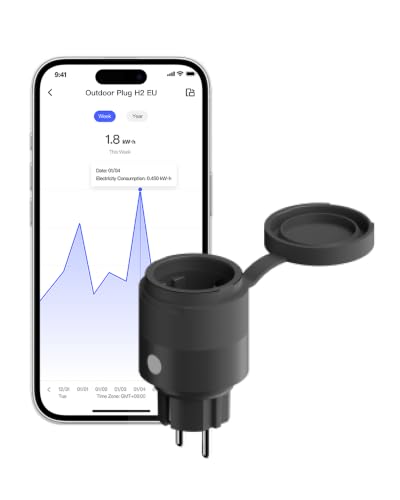
SmartSetup Smart Switch
No certified firmware update since October 20, 2025
Thread border router required. This device uses Thread and needs a Thread border router, for example a HomePod, Apple TV, Nest Hub or Echo. Compare border routers →
SmartSetup Smart Switch by SmartSetup: certified Matter device (On/off plug-in unit). Radio: Thread. Matter 1.4.
SmartSetup Thread 1-Channel Power Controller
Price comparison
No price comparison has been set up for this device yet.
Compatibility with smart home platforms
Whether the platform supports this device type (On/off plug-in unit). This is an assessment based on the platforms’ lists, not a guarantee for every feature.
- Google HomeDevice type supported
- Amazon AlexaDevice type supported
- Apple Home *Device type usually supported
- SmartThings *Device type usually supported
- Home Assistant *Device type usually supported
This device uses Thread: the platform needs a Thread border router, for example a HomePod, Apple TV, Nest Hub or an Echo with Thread. Compare border routers →
Data as of 2026-10-28. Platforms keep adding support; check the manufacturer’s information before buying. Platforms marked * publish no list of their own, so the entries are based on reports.
Technical data
- Manufacturer
- SmartSetup
- Product type
- Plugs & in-wall actuators
- Device type
- On/off plug-in unit
- Radio protocol
- Thread
- Matter version
- Matter 1.4
- Model number
- MS01
- First certified
- March 27, 2024
- Latest certification
- October 20, 2025
- Certificate ID
- CSA25CC9MAT48155-24
- Vendor / product ID (VID/PID)
- 0x1509 / 0x0001 (5385 / 1)
Factory reset
General advice
- First remove the device in your smart home app (controller) so its pairing is deleted there.
- Reset the device as the manufacturer describes – often a reset button or a fixed sequence of power cycles. The exact sequence differs per device; use the manual.
- The device then starts in pairing mode. Set it up again with its QR code or setup code.
Resetting erases the device’s settings and assignments.
Update history (certified firmware versions)
2 certified versions, latest on October 20, 2025. New versions appear here automatically once they are listed in the certification database.
| Version | Certified on | Matter | Certificate ID | Download firmware |
|---|---|---|---|---|
| V1.4.0current | October 20, 2025 | 1.4 | CSA25CC9MAT48155-24 | Download firmware (1.8 MB)SHA-256: GzEQfG6qHsGmwqF3qE5CNau7YO7+CmI2nPSxiWdchDA= |
| 1.1.0First certification | March 27, 2024 | 1.1 | CSA241AEMAT43105-24 | |
| 1.4.1listed in the DCL, not certified | Download firmware (1.8 MB)SHA-256: PIjTX7W2jT+qjG2IHOTdT+9uSTJOTZOGnCufHBq0dWc= |
The files are hosted by the manufacturer and only linked here (details and checksum from the CSA DCL). Matter devices usually update automatically through the manufacturer’s app; manual installation is only needed if the manufacturer provides for it. Use at your own risk.
Source: Distributed Compliance Ledger of the Connectivity Standards Alliance (as of November 3, 2026). No guarantee.