Owl Wired
Certifié le 7 août 2026, les mises à jour ne sont pas encore attendues
Owl Wired de Owl Home : appareil Matter certifié (Rauch- und CO-Melder). Radio : WLAN (Wi-Fi). Matter 1.5.
Owl Wired Smoke & CO Alarm
Comparateur de prix
Aucun comparateur de prix n’est encore disponible pour cet appareil.
Compatibilité avec les plateformes de maison connectée
Indique si la plateforme prend en charge ce type d’appareil (Rauch- und CO-Melder). Il s’agit d’une évaluation fondée sur les listes des plateformes, pas d’une garantie pour chaque fonction.
- Google HomeType d’appareil pris en charge
- Amazon AlexaType d’appareil pris en charge
- Apple Home *Type d’appareil généralement pris en charge
- SmartThings *Type d’appareil généralement pris en charge
- Home Assistant *Type d’appareil généralement pris en charge
Données au 2026-10-28. Les plateformes élargissent leur compatibilité ; vérifiez les informations du fabricant avant l’achat. Les plateformes marquées * ne publient pas de liste propre, les données reposent sur des retours.
Données techniques
- Fabricant
- Owl Home
- Type de produit
- Kameras, Türklingeln & Rauchmelder
- Type d’appareil
- Rauch- und CO-Melder
- Protocole radio
- WLAN (Wi-Fi)
- Version de Matter
- Matter 1.5
- Numéro de modèle
- M010L09
- Première certification
- 7 août 2026
- ID du certificat
- CSA2646AMAT54818-24
- ID fabricant / produit (VID/PID)
- 0x1601 / 0x0010 (5633 / 16)
Reset Owl Home Owl Wired
How to factory reset Owl Home Owl Wired so you can set up the Matter device again or hand it on. Remove the device in your controller first, otherwise an entry stays behind there.
Manufacturer’s note (certification database)
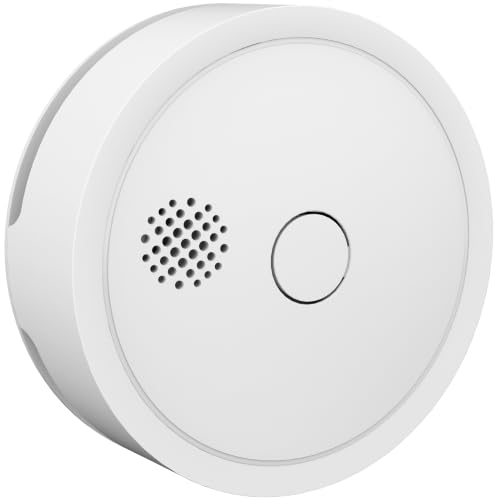
Appuyez et maintenez le bouton Owl frontal pendant 15 secondes.
Traduction automatique : afficher le texte original du fabricant
Press and hold the front Owl Button for 15 seconds
Resetting erases the device’s settings and assignments.
How do I factory reset Owl Home Owl Wired?
The steps are in the section on this page. Remove the device in your controller first, then perform the reset.
Do I have to remove the device from the app first?
Ideally yes: remove it in your controller or smart home app first so its pairing is deleted there. Then reset the device.
What is lost when I reset it?
The device’s settings and assignments, including its connection to all Matter systems (multi-admin). You can set it up again afterwards.
The reset does not work – what now?
Check the manufacturer’s manual and support to see whether the procedure applies to your model. Check power and range; Thread devices need a reachable border router.
Liens du fabricant
Historique des mises à jour (versions de firmware certifiées)
One version is certified so far (since 7 août 2026). New versions appear here automatically.
| Version | Certifiée le | Matter | ID du certificat |
|---|---|---|---|
| 1.4.0 | 7 août 2026 | 1.5 | CSA2646AMAT54818-24 |
Source : Distributed Compliance Ledger de la Connectivity Standards Alliance (au 3 novembre 2026). Sans garantie.